Stop! Don’t Press Win+R: How the New Fake CAPTCHA “ClickFix” Attack Steals Your Data

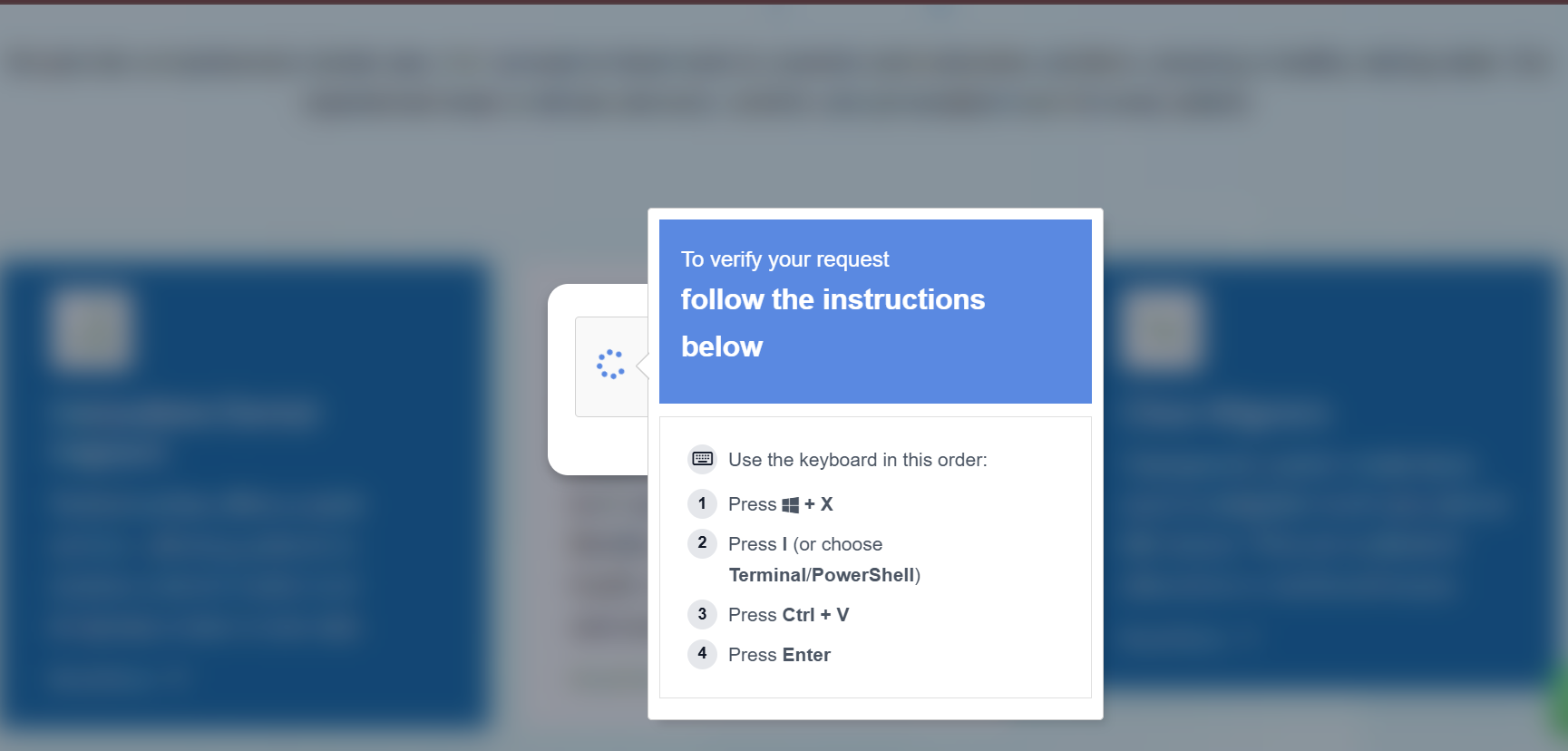
Imagine visiting a website and seeing a standard Google reCAPTCHA or a Cloudflare verification screen. It looks perfectly normal—until it tells you there’s an “issue” with your browser and provides a quick fix.
This is the heart of the ClickFix hacking attack. It doesn’t exploit a hole in your software; it exploits your habits. As a WordPress developer or site owner, understanding this social engineering tactic is vital for keeping your users safe in 2026.
What is the ClickFix Hacking Attack?
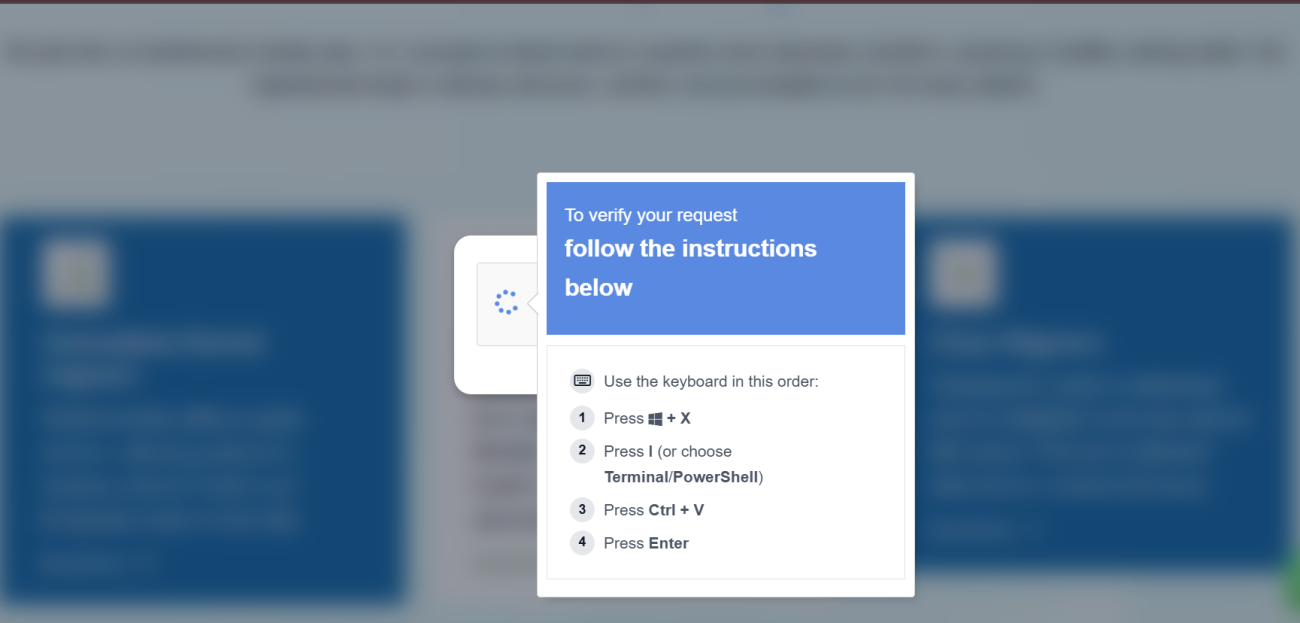
The ClickFix attack (also known as “Pastejacking”) is a sophisticated malware delivery method that surfaced in early 2024 and has evolved rapidly. Unlike traditional hacks that try to trick you into downloading a suspicious file, ClickFix tricks you into manually running the malware yourself.
How the “Fake CAPTCHA” Trick Works
- The Lure: You land on a compromised page or a fake site (often masquerading as Google Meet, Zoom, or a PDF reader).
- The “Error”: A popup claims your browser can’t display the content. It shows a button that says “Fix It” or “Verify Me.”
- The Invisible Payload: When you click that button, a malicious PowerShell command is automatically copied to your clipboard via JavaScript. You won’t see any download notification.
- The Manual Execution: The site provides three “verification” steps:
- Press Windows Key + R (to open the Run box).
- Press CTRL + V (to paste the “fix”).
- Press Enter.
By following these steps, you execute an obfuscated script that installs info-stealers like Lumma Stealer or MIMICRAT, allowing hackers to harvest your passwords and session tokens instantly.
Why This Attack Bypasses Traditional Security
The genius—and danger—of the ClickFix hacking attack is that it relies on legitimate system tools.
- No “Malicious” Download: Since there is no
.exefile being downloaded, many browser-based antivirus filters don’t trigger. - Trust in Brand Imagery: The use of familiar logos from Google, Microsoft, and Cloudflare lowers the user’s guard.
- Living off the Land: It uses PowerShell and the Run command, which are trusted parts of Windows, to bypass endpoint detection.
Solutions to Prevent ClickFix Attacks
Protecting your website and your visitors requires a multi-layered security strategy.
1. Hardening Your WordPress Site
Most ClickFix attacks originate from compromised legitimate sites. To ensure your WordPress site isn’t being used to host these lures:
- Implement a Strict Content Security Policy (CSP): A well-configured CSP can prevent unauthorized scripts from hijacking the clipboard or redirecting users to fake verification domains.
- File Integrity Monitoring: Use plugins like Wordfence or Sucuri to detect if a hacker has injected malicious JavaScript into your theme files.
2. User Education & Awareness
This is a social engineering attack, meaning the “human firewall” is your best defense.
- Rule of Thumb: Legitimate services like Google or Cloudflare will never ask you to open a terminal, use the Windows Run box, or paste code to “verify” your identity.
- Manually Type Commands: If you ever need to run a command for a legitimate technical fix, type it manually instead of pasting.
3. Technical Safeguards
- Install “ClickFix Block”: There are now browser extensions specifically designed to monitor and block suspicious clipboard injections from untrusted websites.
- Disable Win+R via GPO: For corporate environments, administrators can use Group Policy Objects to disable the Run dialog for standard users, cutting the attack chain at its most critical point.