Technical SEO Checklist: The Complete 2026 Audit Guide

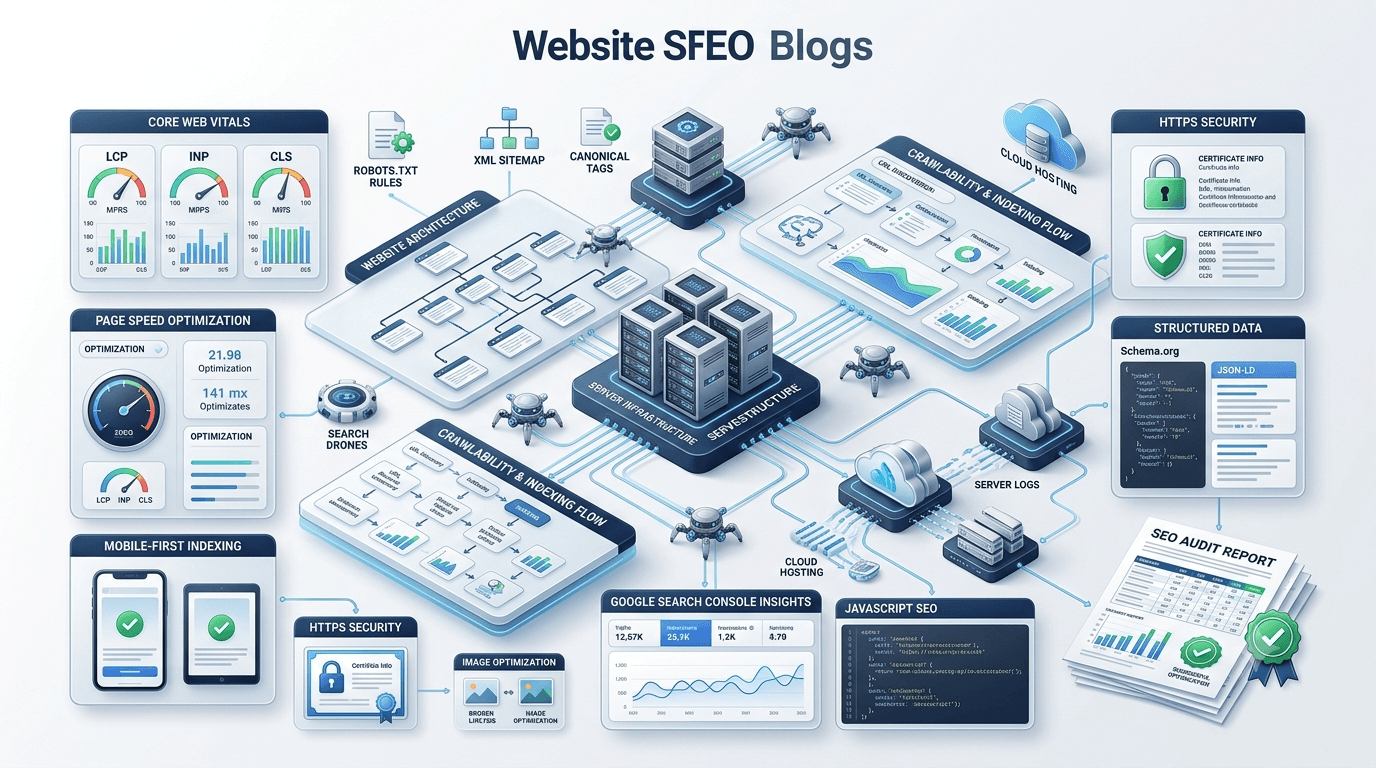
Technical SEO Checklist deployment is the definitive starting point for any successful organic growth strategy because even the highest quality content cannot rank if search engine bots cannot access your pages. When your website infrastructure is cluttered, search engines struggle to crawl, understand, and index your content. This comprehensive technical website audit blueprint provides an actionable framework to identify hidden structural flaws, maximize crawl budget efficiency, and deliver a frictionless user experience.
Whether you are a seasoned web developer, an agency strategist, or a business owner looking to protect your digital real estate, keeping an updated website SEO checklist is paramount. Search algorithms are more sophisticated than ever, emphasizing user experience signals, machine learning interpretation, and raw technical efficiency. Below, we break down every critical technical pillar into actionable steps to ensure your site stays visible, competitive, and highly performant.
Why Technical SEO Matters in 2026
Technical SEO is no longer just about avoiding broken links and maintaining a basic XML sitemap; it is about building an agile, lightning-fast digital architecture that aligns with search engines’ advanced machine learning algorithms. If search bots encounter rendering bottlenecks, unoptimized JavaScript frameworks, or chaotic internal redirect chains, they will deprioritize your content in favor of technically superior competitors.
[User/Search Bot] ──> [Fast, Clean Architecture] ──> Efficient Indexing ──> Higher Rankings
[User/Search Bot] ──> [Bloated, Broken Scripting] ──> Crawl Drops ──> Dropped Rankings
A rigorous technical optimization checklist guarantees that search engine algorithms can read your site effortlessly. This directly impacts your bottom line by preserving crawl budget, preventing dropped keyword rankings, and scaling conversions through improved page speed optimization.
Complete Technical SEO Checklist
Executing a comprehensive SEO technical audit requires a systematic approach. To simplify the process, we have divided this master guide into core functional categories—ranging from fundamental crawling mechanics to complex server-side optimizations.
Crawlability Checklist
Crawlability describes a search engine’s ability to navigate through your website’s entire link network without hitting dead ends. If your site structure blocks search bots, your content will remain invisible to users.
1. Detect and Eliminate Crawl Bottlenecks
Use diagnostic crawlers like Screaming Frog or Sitebulb to map your site architecture. Look for broken internal links (404 errors), server timeouts (5xx errors), and endless redirect loops that exhaust your crawl resources.
2. Streamline Site Architecture Depth
Ensure your most critical revenue-generating pages are accessible within three clicks or fewer from the homepage. A flat site architecture distributes internal page authority far more effectively than a deeply nested structure.
3. Identify and Prune Orphan Pages
Orphan pages are active URLs that receive no internal links from other parts of your website. Search bots struggle to discover these pages, and when they do, they treat them as low-priority assets. Link orphan pages from relevant content hubs or remove them entirely if they serve no business purpose.
Expert Tip: Use the “Crawl Paths” report in your crawling software alongside your Google Search Console landing page data to isolate pages that are receiving organic traffic but lack structural internal context.
Indexability Checklist
Indexability refers to a search engine’s capacity to add your analyzed pages into its web directory database. A page can be crawlable but non-indexable due to misconfigured meta tags or systemic indexing errors.
1. Audit Noindex Meta Tags
Accidentally leaving a <meta name="robots" content="noindex"> tag within the header of a live page will instantly drop that page from search results. Run automated weekly scans across your primary conversion funnels to ensure your critical pages remain open for indexation.
2. Resolve Soft 404 Conditions
A soft 404 occurs when a page displays a “Not Found” message to visitors but returns a successful 200 OK status code to search engines. Update your server configurations to ensure missing URLs accurately return a genuine 404 or 410 HTTP response code.
3. Handle Parameterized Duplication
E-commerce sorting filters and internal tracking scripts generate countless dynamic URLs that contain identical content. If left unmanaged, search engines waste crawl resources analyzing hundreds of variations of the same product page.
XML Sitemap Optimization
An XML sitemap serves as a structured roadmap that explicitly tells search engines exactly which high-quality target URLs they should discover and evaluate.
1. Exclude Clean-up URLs
Never include redirects (301 URLs), missing pages (404 pages), non-canonical paths, or pages blocked via your robots.txt file inside your XML sitemaps. Your sitemap must exclusively contain clean, indexable 200 OK destination URLs.
2. Respect File Size Boundaries
Keep your individual sitemap files beneath the standard threshold of 50,000 URLs and under 50MB in uncompressed file size. If your platform exceeds these limits, utilize a sitemap index file to nest multiple smaller sitemaps systematically.
3. Automate Real-Time Synchronization
Configure dynamic sitemap generation within your Content Management System (CMS). When your team publishes a fresh article or updates a product line, the sitemap must instantly reflect the modification timestamp via the <lastmod> tag. For WordPress sites, leveraging an advanced plugin or custom backend setup ensures perfect automation. For tailored configurations, discover how our dedicated WordPress SEO Services can handle your sitemap automation flawlessly.
Robots.txt Best Practices
The robots.txt file is a powerful directives file located at the root directory of your server. It instructs search engine web crawlers exactly where they are and are not allowed to go on your website.
1. Safely Block Administrative Pathways
Prevent bots from wasting crawl budget on backend directories, checkout pipelines, and script-heavy search query generation pages.
HTTP
User-agent: *
Disallow: /wp-admin/
Disallow: /checkout/
Disallow: /search/
2. Explicitly Reference Your Sitemap Location
Always append a direct, absolute link pointing toward your XML sitemap at the very top or bottom of your file to simplify discovery for newly deployed crawlers.
HTTP
Sitemap: https://reonsys.com/sitemap_index.xml
3. Avoid Blocking Critical Styling Resources
Ensure you do not accidentally disallow access to essential CSS or JavaScript files. Modern search engines need to render your pages completely to evaluate visual layout and mobile rendering accuracy.
URL Structure Optimization
Clean, descriptive, and uniform URL paths provide both search engines and human users with immediate, transparent context regarding the hierarchy of your content.
- Enforce Lowercase Formatting: Servers treat capitalization strictly. Mixing uppercase letters can trigger unexpected duplication errors or 404 failures.
- Use Hyphens as Word Spacers: Use hyphens (
-) rather than underscores (_) to separate words within URLs, as search algorithms treat hyphens as distinct word spaces. - Keep Paths Concise and Readable: Strip out superfluous tracking parameters, dynamic IDs, and repetitive folder nesting to create clean, human-readable URLs.
| Unoptimized URL Example | Optimized Clean URL Example |
https://reonsys.com/cat/?id=921&sort=alpha | https://reonsys.com/technical-seo-services/ |
Canonical Tags
Canonical tags tell search engine bots which version of a URL is the master copy when dealing with multiple identical or closely related pages.
1. Implement Self-Referential Canonicals
Every standalone, unique page on your website should include a self-referential rel="canonical" tag pointing directly back to its own absolute URL. This acts as a defensive shield preventing automated scrape scrapers or tracking strings from splitting your organic link equity.
HTML
<link rel="canonical" href="https://reonsys.com/blog/technical-seo-checklist" />
2. Consolidate Near-Duplicate Variants
When hosting closely related product lines that vary only by color, size, or regional sorting variations, select one primary master URL and map all alternative variant URLs back to that chosen canonical anchor point.
HTTPS and Website Security
A secure connection is a foundational prerequisite for high search performance and a fundamental trust requirement under Google’s Helpful Content guidelines.
- Maintain Modern SSL/TLS Certificates: Deploy an updated, robust SSL/TLS certificate across your entire ecosystem. Ensure it auto-renews seamlessly to eliminate jarring browser warning alerts.
- Enforce HTTP/2 or HTTP/3 Protocols: Upgrading your server communication protocols facilitates multiplexed asset downloads over a single connection, significantly accelerating network response speeds.
- Implement HSTS Protection: Hypertext Transfer Protocol Secure Sockets Layer (HSTS) commands modern web browsers to interact with your site exclusively over encrypted HTTPS pathways, removing insecure redirect handshakes.
Mobile Friendliness
Search engines evaluate and rank content using mobile-first indexing. This means the layout, code, and asset delivery of your mobile-responsive viewports dictate your global search visibility.
1. Eradicate Horizontal Scrolling Issues
Ensure your layout containers and media elements dynamically fit responsive boundaries. Forcing users to scroll sideways on a mobile device degrades user experience and hurts mobile search equity.
2. Verify Tap Target Spacing
Ensure buttons, text links, and interactive elements feature adequate physical spacing around them. If links are crammed together, users risk accidental clicks, triggering mobile usability errors in Google Search Console.
3. Maintain Parity Across Desktop and Mobile
Ensure your mobile design displays the exact same core text content, structured schema markings, and rich descriptive image elements as your primary desktop interface.
Core Web Vitals Optimization
Core Web Vitals are real-world user experience metrics quantified by Google to evaluate loading performance, visual stability, and interactive responsiveness.
┌─────────────────────────────────────────────────────────────┐
│                       CORE WEB VITALS                      │
├───────────────────┬─────────────────────┬───────────────────┤
│  LCP (Loading)    │   INP (Interaction) │   CLS (Stability) │
│  Target: ≤ 2.5s   │   Target: ≤ 200ms   │   Target: ≤ 0.1   │
└───────────────────┴─────────────────────┴───────────────────┘
Largest Contentful Paint (LCP)
LCP tracks how long it takes for the largest primary visual block on a page to load completely. To hit the ideal threshold of 2.5 seconds or less, optimize server response times, implement robust caching mechanisms, and aggressively prioritize your critical rendering path assets. For complex bottlenecks, check out our expert Core Web Vitals Optimization Services to consistently hitting optimal score bands.
Interaction to Next Paint (INP)
INP evaluates page responsiveness by measuring the delay between a user interaction (like clicking a button) and the next visual screen update. To maintain an optimal response time below 200 milliseconds, minimize heavy main-thread JavaScript execution, break up long programming tasks, and defer non-essential third-party tags.
Cumulative Layout Shift (CLS)
CLS measures unexpected layout shifts that happen while a page is loading. To maintain a stable score under 0.1, always define explicit width and height dimensions on image layout fields and container divs, and avoid inserting dynamic banners above existing rendered content block positions.
Website Speed Optimization
An efficient website infrastructure directly impacts user satisfaction and organic search equity. Improving page speed optimization involves streamlining code delivery and eliminating asset drag.
- Apply Server-Side Gzip or Brotli Compression: Compressing text assets like HTML, CSS, and JS reduces files sizes before they travel over the network, speeding up load times for users.
- Implement Advanced Object Caching: Cache database queries, page templates, and dynamic assets directly on the server to dramatically reduce Time to First Byte (TTFB).
- Minify and Consolidate Source Code: Clean up code by removing unneeded formatting spaces, developer comments, and redundant scripts across your global styles.
Warning: Blindly combining complex JavaScript bundles can introduce execution order bugs that break interactive features. Always run staging server evaluations before applying aggressive asset consolidation tools.
Structured Data (Schema)
Structured data uses standardized JSON-LD code formats to explicitly provide search engines with deep, contextual details regarding your page content.
1. Build Integrated Rich Result Layouts
Deploy relevant schema categories like Article, Product, LocalBusiness, or Course code across your landing pages to secure eye-catching rich snippets in search results.
2. Validate Configurations with Official Tools
Never push unverified schema syntax directly live. Test your code blocks through the official Google Rich Results Test to catch formatting bugs and missing fields beforehand.
JSON
{
  "@context": "https://schema.org",
  "@type": "WebSite",
  "name": "Reonsys",
  "url": "https://reonsys.com/"
}
Internal Linking
Strategic internal linking distributes link equity (PageRank) throughout your site architecture while helping search engines discover related pages.
- Use Descriptive, Keyword-Rich Anchor Text: Avoid generic call-to-action link phrasings like “click here” or “read more”. Instead, build natural, descriptive keyword anchors that explain exactly what the target page covers.
- Adopt an Organized Hub-and-Spoke Model: Link individual, hyper-focused supporting articles back to your high-level category hub pages to establish clear topical authority.
- Regularly Audit and Refresh Deep Internal Paths: When publishing a fresh piece of long-form content, find old, relevant articles and add internal links pointing to the new page to boost its discovery.
Broken Links
Broken internal and external links disrupt user navigation and cause search bots to drop out of your active crawling pathways.
1. Scan for Broken Links Regularly
Run monthly automated crawlers to catch broken 404 pages. Keep an eye out for external links that point to third-party domains that have moved or shut down.
2. Update Inbound Internal Links
When removing or changing a URL, don’t just set up a redirect. Find all your existing internal links that point to that old URL and update them to link directly to the new, live path.
3. Build a Helpful Custom 404 Page
Design a helpful custom 404 error page featuring an internal search field, direct links to your popular blog categories, and an easy path back to your homepage.
Redirect Management
Using redirects properly preserves your accumulated link equity during site migrations, redesigns, and content updates.
- Always Use 301 Redirects for Permanent Moves: Use permanent
301redirects for pages that have moved indefinitely. Save temporary302redirects for short-term promotional testing or seasonal shifts. - Eliminate Chain and Loop Redirects: Avoid multi-step redirect paths (e.g., Page A → Page B → Page C). Set up your redirects to point directly from the original source URL straight to the final destination URL.
- Regularly Clean Up Your Server Configurations: Audit your server redirect tables to remove redundant or outdated redirect rules, helping reduce server response overhead.
Image Optimization
Unoptimized media assets are one of the most common causes of slow load times and high visual layout shift metrics across modern web platforms.
1. Transition to WebP and AVIF Image Formats
Ditch outdated, uncompressed PNG and JPEG files. Modern file formats like WebP and AVIF deliver crisp visual clarity at a fraction of the file size.
2. Implement Responsive Lazy Loading
Add loading="lazy" attributes to all images below the fold so they only load when a user scrolls near them. Keep above-the-fold hero graphics un-lazied to ensure they render immediately.
3. Add Clear, Contextual Alt Text
Write clear, descriptive alt tags for your images. This improves accessibility for visually impaired users and helps search engine crawlers understand what your visual assets show.
JavaScript SEO
Modern front-end frameworks like React, Angular, and Vue require careful optimization to ensure search engine crawlers can read their content reliably.
[Client-Side Rendering] ──> Crawler Waits for Rendering Resources ──> Delayed Indexing
[Server-Side Rendering] ──> Crawler Instantly Parses HTML ──> Rapid Indexing
- Use Server-Side Rendering (SSR) or Pre-rendering: Implement Server-Side Rendering (SSR) or static pre-rendering options. Delivering fully rendered HTML directly to search bots avoids delayed rendering queues.
- Ensure Essential Content Renders in the DOM: Verify that critical text blocks, primary links, and schema tags are included directly in the initial source code rather than relying entirely on user interaction to load.
- Check Core Links for Standard HTML Attributes: Ensure your navigation paths use standard
<a href="...">link elements rather than relying on custom JavaScript click handlers.
Log File Analysis
Analyzing your server log files gives you an accurate view of exactly how search engine bots behave when crawling your live website.
1. Track Real Crawl Behavior
Review your server log data to see exactly when and how often search bots visit your site, moving past estimated third-party crawler data.
2. Identify and Fix Crawl Budget Waste
Find out if search bots are spending too much time crawling dynamic sorting URLs or old, low-value assets instead of your primary landing pages.
3. Catch Intermittent Server Errors
Look out for sporadic HTTP 503 Service Unavailable or 504 Gateway Timeout errors that might pop up during high-traffic windows or automated system backups.
Google Search Console Checks
Google Search Console is an invaluable diagnostic interface for monitoring your organic presence, indexing health, and structural performance.
1. Monitor the Page Indexing Report
Regularly check the Page Indexing report to spot and fix common website crawl errors, validation alerts, or unexpected indexing drops.
2. Keep Your Core Web Vitals Status Green
Review the real-world performance trends in your Core Web Vitals report to make sure your pages stay firmly inside the healthy “Good” scoring bracket on both mobile and desktop.
3. Audit for Security Alerts and Manual Actions
Check the Security & Manual Actions tab to ensure your site is free of malware warnings, hacked code alerts, or search policy violations.
Common Technical SEO Mistakes
Even experienced development and marketing teams can run into common optimization traps that unintentionally hurt their organic search visibility.
- Leaving Staging Environments Indexed: Forgetting to block a staging environment via HTTP authentication or robots.txt can lead to massive duplicate content issues across Google’s index.
- Creating Unmanaged Redirect Chains: Building multi-step redirect paths slows down page load speeds and dilutes your accumulated link equity.
- Overlooking Canonical Tag Misconfigurations: Forgetting to update canonical tags after moving content can lead to multiple URLs pointing to a single, unrelated page, causing indexation issues.
Technical SEO Audit Checklist Table
Use this scannable verification matrix to guide your regular technical website audit workflows:
| Technical Audit Pillar | Core Action Step | Priority Level | Target Metric Success Goal |
| Crawlability | Eliminate internal 404 errors & redirect chains | Critical | 0 Broken Internal Links |
| Indexability | Remove erroneous noindex tags on target pages | Critical | 100% Core Pages Indexed |
| Sitemaps | Exclude 301, 404, and non-canonical pages | High | 100% Clean Indexable URLs |
| Robots.txt | Block backend login pathways while keeping assets open | High | Safe Administrative Blocking |
| Speed | Compress text assets via Brotli or Gzip protocol | High | TTFB under 0.8 Seconds |
| Core Web Vitals | Optimize image dimensions and lazy loading paths | High | CLS < 0.1, LCP < 2.5s |
| Structured Data | Deploy validated JSON-LD schema strings | Medium | Zero Errors in Testing Tool |
| Image Assets | Transition legacy formats into WebP or AVIF formats | Medium | Under 100KB per Compressed Image |
Frequently Asked Questions
What is a technical SEO checklist?
A technical SEO checklist is an actionable roadmap used to optimize a website’s underlying infrastructure. It ensures search engine crawlers can effortlessly discover, crawl, render, and index your content, while also building a fast, stable, and responsive user experience.
How often should I perform a technical website audit?
We recommend executing a comprehensive technical website audit at least once every quarter. However, if you run a large enterprise platform or a fast-moving e-commerce site with frequent code changes, running automated weekly scans is best to catch crawl errors early.
Why are Core Web Vitals critical for technical optimization?
Core Web Vitals are real-world performance metrics that Google uses as direct ranking signals. They evaluate a page’s load speed (LCP), interactive responsiveness (INP), and visual layout stability (CLS), making them a core part of any performance-focused optimization strategy.
Conclusion
Successfully implementing a technical seo checklist protects your website’s organic visibility and ensures long-term search growth. By cleaning up crawl paths, fixing indexation issues, and prioritizing real-world user experience metrics like Core Web Vitals, you make it easy for search engine algorithms to crawl and rank your content. Technical optimization isn’t a one-time fix—it’s a continuous process of refinement that helps you stay ahead of algorithm updates and outpace the competition.
Need Expert Technical SEO Support?
Is your website losing valuable organic traffic due to hidden indexing issues, slow load speeds, or complex rendering bugs? Don’t let technical bottlenecks hold your business back.
Partner with the technical engineering team at Reonsys to optimize your site performance. From deep-dive logs analysis to advanced schema implementation and Core Web Vitals speed optimization, we build clean, fast, search-ready architectures that drive real revenue growth.
- 🚀 Maximize Your Traffic Potential: Get a comprehensive SEO Audit Service to uncover and fix your underlying infrastructure issues.
- ⚡ Boost Your Site Speed: Secure top performance scores with our tailored Website Speed Optimization Services.
- 📈 Scale Your Search Visibility: Let us handle the heavy technical lifting.
Contact Reonsys Technical SEO Experts Today to schedule your custom performance consultation!