ClickFix Hacking Attack: How to Protect Your Data in 2026

The Rise of the ClickFix Hacking Attack
The ClickFix hacking attack represents a dangerous shift in how cybercriminals target unsuspecting internet users today. Instead of exploiting software bugs, this method tricks you into compromising your own system. Hackers use social engineering to bypass modern security filters.
Understanding this tactic is essential for every website owner. Most traditional antivirus programs fail to catch these threats. You must learn how to identify these fake prompts immediately.
How the Fake Verification Trick Works
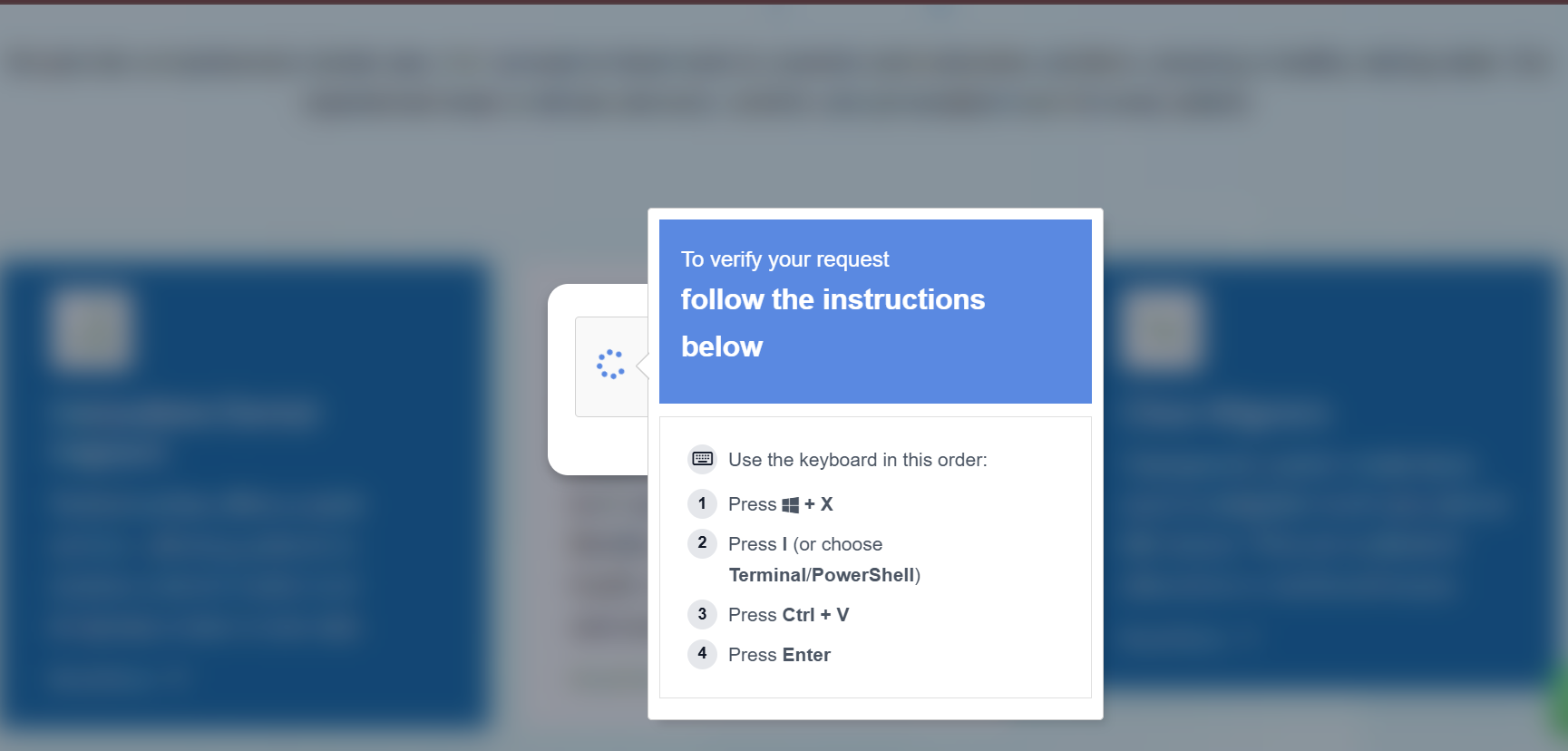
The attack starts when you visit a compromised webpage. You might see a Fake reCAPTCHA malware screen that looks legitimate. It claims your browser has an error.
The site then asks you to click a “Fix It” button. This action triggers a Fake CAPTCHA PowerShell exploit by copying code to your clipboard. You do not see any file downloading.
The Danger of Pastejacking Methods
Cybercriminals rely on a technique called pastejacking to deliver their payload. They provide three simple steps to “verify” your identity. These steps involve opening the Windows Run box and pasting the hidden code.
Once you press enter, the malicious script runs instantly. This script often installs Lumma Stealer or other data-harvesting tools. Your passwords and session tokens are no longer safe.
Why This Exploit Bypasses Modern Security
This specific ClickFix hacking attack avoids detection because it uses native Windows tools. Since no executable file enters the system, browser filters remain silent. The attack “lives off the land” using PowerShell.
Hackers use trusted logos from Microsoft and Google to build false trust. Users often follow instructions without hesitation when they see familiar branding. This psychological trick is the core of their success.
Effective Pastejacking Protection 2026
You can defend your system by following strict digital hygiene rules. Never paste code into a terminal from an untrusted source. Legitimate companies will never ask you to use the Windows Run box for verification.
Administrators should consider disabling the Win+R command via Group Policy. This step breaks the attack chain for corporate users. Regular Pastejacking protection 2026 updates are vital for long-term safety.
Identifying Pastejacking Malware Symptoms
Recognizing the warning signs can save your digital identity. If a site suddenly requests manual commands to fix a display issue, leave immediately. Unusual background activity or slow performance might indicate an infection.
Always keep your browser and security plugins updated. Monitoring your clipboard for unexpected changes is another great defensive layer. Use advanced security software to scan for hidden info-stealers.
Frequently Asked Questions (FAQs)
1. Can a fake CAPTCHA really hack my PC?
Yes, it tricks you into running malicious code yourself through the Windows Run dialog.
2. Is clicking “Fix It” enough to get infected?
Clicking usually copies the code, but the infection happens when you paste and run it.
3. How do I know if a reCAPTCHA is fake?
Real Google or Cloudflare checks never ask you to open system tools or paste commands.
4. What should I do if I ran the command?
Disconnect from the internet immediately and run a full system scan using an offline antivirus tool.
5. How can I protect my WordPress site from being a lure?
Use a strong Content Security Policy (CSP) and monitor your files for unauthorized JavaScript changes.